

When the office is empty during lunch, everyone is working remotely or the person a customer needs is away from their desk, an important call can go unanswered. Call forwarding allows that call to reach an employee somewhere else without asking the customer to use a different company number.
There are three main ways to send company calls to a smartphone: a forwarding service from the telephone carrier, the company’s existing business phone or PBX, or a cloud PBX application. The right choice depends on more than which device rings. It also affects costs, caller information, return calls and whether several employees can handle calls together.

What Is Call Forwarding?
Call forwarding is a system that redirects incoming calls to another phone number or device.
For example, even when a customer calls your office landline, an employee outside the office can answer on their smartphone.
Automatic forwarding means the call is redirected to another number based on preset conditions before anyone answers. Transfer after answering (also called call transfer) means an employee answers, puts the caller on hold, and connects them to another person. A PBX system that rings a smartphone as an internal extension is different from forwarding an external call to another mobile number.
Call Flow
5 Common Types of Call Forwarding
| Type | How It Works | Typical Use Case |
|---|---|---|
| Unconditional forwarding | Forwards every call to the designated destination immediately | When no one is in the office |
| No-answer forwarding | Forwards the call if it is not answered within a set time | When someone is usually in the office but sometimes steps away |
| Busy forwarding | Forwards the call when the original line or staff member is busy | When multiple customers call at the same time |
| Scheduled forwarding | Forwards calls based on time, day of the week, or date | When you want different call handling outside business hours, on weekends, or on holidays |
| Selective forwarding | Forwards calls only from specific numbers, or excludes certain numbers from forwarding | When you want to treat important clients or specific callers differently |
The available forwarding conditions depend on the telephone line, PBX and service being used. Some providers support only basic forwarding, while others allow several conditions to be combined.
Before choosing a service, confirm which forwarding rules are actually available rather than assuming that all types are supported.
Call forwarding conditions and available features vary by service provider. You can check which options are supported, including unconditional call forwarding and no-answer forwarding, in the CIRCLE Mobile Features List.
3 Ways to Forward Company Calls to a Smartphone
There are 3 main ways to send calls from a company landline to a smartphone. The main difference is whether the smartphone simply receives a forwarded external call or becomes part of the company telephone system.
1. Use a Forwarding Service From the Telephone Carrier
The simplest method is to add a call-forwarding service to the company’s existing telephone line. When someone calls the company number, the carrier forwards the call to a registered mobile number.
The company activates the service, registers the forwarding destination and chooses when forwarding should occur. Employees answer using the smartphone’s normal telephone function, so no separate business calling application is required.
This can work well when calls only need to reach one person or a small number of predefined destinations. However, available forwarding conditions, simultaneous-call handling and charges vary by carrier and line type.
2. Use the Existing Business Phone or PBX
Some office PBX systems can already connect company calls to smartphones.
Depending on the equipment, the PBX may forward incoming calls to an external mobile number or allow a smartphone to operate as an extension through a compatible application or additional equipment.
These are not the same setup. External forwarding usually gives the smartphone more limited call-handling functions, while an extension setup may allow features such as hold, transfer and internal calling.
Before replacing the existing system, identify the current PBX model and confirm exactly what its smartphone support includes.
If you’re unsure whether to keep your existing PBX system or switch to a cloud PBX, compare the differences between traditional PBX and cloud PBX systems to better understand the costs of implementation and ongoing management.
3. Use a Cloud PBX Mobile Application
A cloud PBX provides business telephone functions through the cloud rather than relying on a telephone exchange installed in one office.
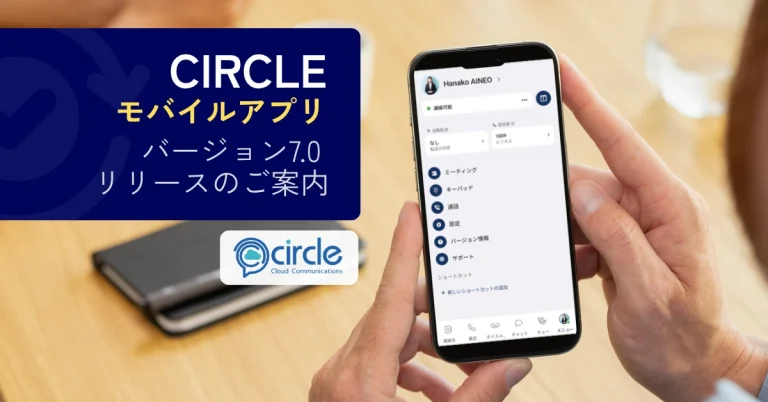
Employees install a business calling application and register their smartphones as company extensions. Incoming calls can then be routed to individual employees or groups according to the company’s call-handling rules.
Employees can also make outgoing business calls through the application using the company number instead of exposing their personal mobile number.
This approach is better suited to companies that need several employees, remote workers or multiple locations to share incoming calls. It requires a suitable internet connection and a subscription covering the required numbers, users and functions.
To learn more about how smartphones can be used as business phone extensions, see our guide to how cloud PBX works.

Comparing Call Forwarding Methods
| Comparison Item | Carrier Call Forwarding | Existing PBX | Cloud PBX App |
|---|---|---|---|
| How calls arrive | Forwarded to another mobile number | External forwarding, or internal extension calls through a compatible app | Calls arrive on the app registered as an internal extension |
| Callback number | When calling back from your regular phone app, your smartphone number is usually displayed | Depends on PBX and smartphone setup | You can call out using the company number from the app |
| Multi-employee handling | Mostly focused on one forwarding destination; specifications vary by service | Depends on equipment, lines, and licenses | Calls can be distributed to multiple users based on company routing rules |
| Transfer after answering | Often unavailable when forwarding to a general mobile number | May be available with a compatible extension setup | Generally possible, including hold and transfer to other extensions |
| Main costs | Option fee plus forwarding call charges | Setup fees, licenses, equipment, external forwarding charges, etc. | Base fee, user fees, phone numbers, call charges, etc. |
| Best for | Individuals or temporary forwarding | Office-based companies that want to use existing equipment | Remote work, field work, or multi-location businesses that share incoming calls |
The features you can actually use depend on the service and setup.
When comparing options, check how each one handles situations such as a staff member already on a call, multiple incoming calls at the same time, or a call that needs to be transferred to another department.
Make and Receive Business Calls on Your Smartphone, Wherever You Are
3 Benefits of Forwarding Company Calls
Fewer Missed Inquiries When the Office Is Empty
In small offices, everyone may be out at the same time because of lunch breaks, client visits, meetings, or on-site work.
Existing customers may call back later. But a new customer who calls about a quote, a reservation, or an urgent question may simply contact another company instead. If you can take calls from outside the office, you have more chances to answer when a customer wants to talk right away.
Less Message-Taking and Callback Steps
When the person in charge is unavailable, a coworker often takes down the caller’s name, number, and reason for calling, passes it along, and the person in charge calls back later.
But by the time they call back, the customer may not be able to answer.
If the first call can be connected directly to the right person, you reduce these steps, prevent mistakes in messages, and cut down on repeated phone calls back and forth.
Some businesses have reduced delays in returning customer calls by combining their main business phone number with a mobile app. Our Parking Doctor Case Study explores how this approach improved their call handling processes.
Stop Tying Telephone Coverage to One Desk
If someone has to come into the office just to answer the main company line, or if lunch breaks must be shifted or client visits postponed, that is hard to call a flexible way of working.
If company calls can be received on a smartphone, customers keep calling the same company number, while employees can respond from home, a client site, or wherever they are.

Can Company Calls Be Received on a Smartphone Overseas?
Yes, but it depends on how calls are routed to your smartphone.
With a typical call forwarding service, you may not be able to register an overseas phone number as the destination. Some carriers support international forwarding, but others only allow forwarding to domestic numbers. Forwarding overseas may also incur international call charges.
Cloud PBX works differently.
Instead of forwarding calls to an overseas number, the smartphone connects to the company phone system over the internet.
This means you may be able to receive company calls on your smartphone even while traveling or working overseas.
CIRCLE works anywhere you have an internet connection. You do not need to register an overseas phone number as the destination, because you can access the company phone system directly.
However, availability and call quality depend on the local network. If you plan to use it regularly for work, we recommend testing it in your actual usage environment beforehand.
How Much Does Call Forwarding Cost and Who Pays?
With a standard external call forward, the call charges from your company phone number to the destination phone are usually paid by the company that set up the forwarding. These are separate from the charges the caller pays to reach your company number.
However, when you use a PBX to turn a smartphone into an internal extension, the pricing works differently from forwarding an external call to another mobile number.
Who Pays for Each Part of the Call?
| Call Segment | Usually Paid By |
|---|---|
| From the caller to the company phone number | The caller, based on their phone plan |
| From the company phone number to the destination | The company that set up the forwarding |
If your company uses a toll-free number, the company may also pay for the first segment of the call. Fees and billing units vary by carrier, destination, and contract, so check your current pricing before you start.
How Costs Differ Between the 3 Methods
| Method | Main Costs to Check |
|---|---|
| Carrier call forwarding | Monthly option fee, initial fee if applicable, and call charges from the company line to the mobile phone |
| Existing PBX | Setup fees, required licenses or equipment, maintenance fees, and call charges if forwarding to an external mobile number |
| Cloud PBX | Base fee, user fees, phone numbers, initial setup, outgoing call charges, and options such as IVR, call recording, and reports |
When you use a cloud PBX app to make a smartphone an internal extension, it is not the same as the usual call forwarding setup where the office landline calls out to a separate employee mobile number.
As a result, you will have monthly fees and call charges, but the pricing structure is different from traditional call forwarding.
When considering a cloud PBX system, it’s important to look beyond the basic monthly fee and account for per-user charges, call rates, and any additional features you may need. You can compare costs across services on the CIRCLE Pricing page.
Estimate Usage Before Comparing Monthly Prices
A low monthly option fee does not necessarily mean a lower overall monthly cost. Start by estimating your call forwarding usage with the following formula:
Forwarded calls per day × average call duration × business days per month
For example, 10 forwarded calls per day with an average duration of four minutes over 20 business days would result in approximately 800 minutes of forwarded calls per month. Multiply those minutes by the applicable call rate, then add the monthly option fee.
Compare this amount with the total monthly cost of the other methods. Whenever possible, use your actual call records rather than relying on rough estimates.
When reviewing call handling workloads and staffing requirements, metrics such as call volume and answer rates available through CIRCLE Call Reporting (CCR) can provide valuable insights.
Find Out How Much the Right Business Phone Solution Would Cost
Troubleshooting Call Forwarding Problems and Solutions
Even after you set up call forwarding, calls may not reach the destination, the office phone may not ring, or your smartphone may not ring and go straight to voicemail.
When troubleshooting, check the forwarding service settings, the forwarding conditions, and the destination device settings one at a time.
The Call Doesn’t Forward Even Though I Registered the Destination
Some call forwarding services do not start forwarding just because you registered a destination phone number. You may need to separately turn on the forwarding function.
First, confirm that the forwarding service is active and that the correct destination is selected.
If you use no-answer forwarding, calls will not be forwarded until the set ring time has passed. If you have time-based forwarding rules or rules for specific numbers, check those as well.
The Office Phone Stopped Ringing
If unconditional forwarding is active, calls are forwarded without ringing the office phone, so this does not necessarily mean something is broken.
If you want the office phone to ring for a set time and forward only when no one answers, check whether you can change the setting to no-answer forwarding or a similar option.
My Smartphone Doesn’t Ring and Goes to Voicemail
If your smartphone does not ring and the call goes to voicemail, check the device settings and network connection.
Check Focus mode, call blocking, and voicemail settings. Calls may also go to voicemail if your smartphone is out of service or turned off.
Calls Won’t Connect to Another Destination or Take a Long Time to Connect
Some carriers and services restrict forwarding a call that has already been forwarded to another number.
For example, a setup where a call is forwarded from your office landline to Smartphone A, and then from Smartphone A to Smartphone B.
Multiple forwarding steps can also cause delays. Check that your destinations are not set to forward to each other, and confirm that each service supports forwarding a call a second time.

2 Problems Often Overlooked in Company Call Forwarding
Even when calls are forwarded correctly, employees may not always be able to respond appropriately. This is especially important when you use a personal smartphone for work or when several people share phone duties.
1. You Can’t Tell Business Calls From Personal Calls
With a typical external call forward, a smartphone may show the caller’s number but not whether the call was meant for the company or for you personally.
If you handle calls for multiple departments or stores, you may not know which company number was called, which makes it hard to answer appropriately.
When choosing a forwarding service, check whether you can see not only the caller’s number but also which company number, or which department, the call was made to.
2. You Can’t Share the Status of Missed Calls
When calls are forwarded to multiple employees, call history ends up spread across each person’s smartphone, making it hard to know who answered.
As a result, no one may call back, or several employees may contact the same customer.
If several people share phone duties, decide not only how calls will be distributed but also where unanswered calls will be checked and who will call back.
Frequently Asked Questions About Receiving Company Calls on a Smartphone
Can I forward my company landline to my smartphone with the iPhone’s “Call Forwarding” feature?
No. The iPhone’s Call Forwarding setting forwards calls received on the cellular line used by that iPhone to another number. It does not control your company’s landline.
To forward a company landline to another mobile number, set it up with your carrier or PBX provider. To use a smartphone as an internal extension, set it up through a compatible PBX or cloud PBX.
Will the caller know that the call was forwarded?
Usually, the destination mobile number is not shown to the caller.
However, some services play an announcement that says the call is being forwarded. If the destination smartphone is out of range or turned off, the carrier may also play a message.
To find out exactly what the caller hears, make a test call.
How do I stop or cancel call forwarding?
How you stop forwarding depends on your carrier or phone system.
Options include dialing a specific code from your landline or changing the setting in an admin portal. Some services let you make changes from outside the office, but they may require setup in advance.
Turning off forwarding does not cancel your service contract. If you want to cancel a service that charges a monthly fee, you need to complete a separate cancellation process.
Does my office phone need to stay powered on?
If forwarding is handled on the carrier’s network, the office phone usually does not need to stay on.
However, if forwarding is handled by a PBX inside the office, calls may not forward if the equipment is powered off or loses its connection.
If you receive calls through a cloud PBX app, you do not need an office phone, but your smartphone must have an internet connection.
Can I keep my current company phone number?
If you use call forwarding on your existing phone line, customers can keep calling the same company number.
If you switch your phone system to a cloud PBX or similar service, check whether your current number can be carried over through number portability.
CIRCLE can port existing numbers in many cases, but some numbers are not eligible. Before canceling your current phone service, confirm that your number can be transferred.
Can I forward faxes to my smartphone?
With a standard voice call forwarding service, you cannot convert received faxes into files you can view on a smartphone.
To view faxes on a smartphone or computer, you need a service such as internet fax, which delivers faxes as digital data.
If you currently use the same phone line for voice calls and faxes, check whether changing your phone service could affect fax sending and receiving.
Can I record forwarded calls?
Whether you can record calls depends on the phone service and equipment you use.
Standard external call forwarding does not always include a recording feature.
If you need to record business calls, check not only whether recording is available but also where recordings are stored, who can access them, and how long they are kept.
Try CIRCLE Cloud Communications to Receive and Make Company Calls on Your Smartphone
If you need more than just receiving company calls on your smartphone, such as calling out with your company number, internal calls between employees, hold, and transfer, consider CIRCLE Cloud Communications.
Because your smartphone works as an internal extension of the company phone system, you can handle company calls while you are out of the office or working from home.
You can review the full feature list and pricing, or try a 10-day free trial to test it in your actual work environment.


